Keyboard and mouse input
Use keyboard and mouse inside an ordinary loop. Read input, update your variables,
draw, then call tick(). The first iteration sees neutral input. Each tick() prepares
one snapshot for the next iteration; reading it never consumes or changes it.
Continuous movement
This complete program moves a circle. An axis returns positive-held minus negative-held:
-1, 0, or 1. Both directions held, or neither held, give zero.
from drawzero import *

x = y = 500
while True:
    x += 4 * keyboard.axis('left', 'right')
    y += 4 * keyboard.axis('up', 'down')
    clear()
    filled_circle(C.red, (x, y), 20)
    tick()
One action on press; alternative controls and modifiers
just_pressed is true for one input frame, including a press released before that frame
ends. Holding a key or receiving automatic repeats does not create another press.
just_released reports an up transition. Several readers can see the same transition.
Multiple arguments mean any: keyboard.pressed('left', 'a') accepts either control.
For a chord use keyboard.pressed('ctrl') and keyboard.just_pressed('s').
Releasing Left while still holding A makes just_released('left', 'a') true.
Each side of axis accepts a single key or a nonempty flat tuple/list of alternatives.
keyboard.axis(('left', 'a'), ('right', 'd')) still returns an integer, with no smoothing,
time scaling, or preference for the last key. Duplicates have no additional effect.
shift, ctrl, alt, and meta are virtual keys combining left and right modifiers.
cmd means meta. A group presses when its first side presses and releases when its
last side releases. Pressing right Shift while left Shift is held is not a new group
press; releasing left Shift while right Shift remains held is not a group release.
A group released and pressed again within one frame has both edge flags.
Individual names such as lshift, rshift, lctrl, and rmeta remain available.
Here is a complete controls demonstration, including click placement at the original click position:
from drawzero import *

x = y = 500
color = C.red
presses = 0
while True:
    speed = 12 if keyboard.pressed('shift') else 4
    dx = keyboard.axis(('left', 'a'), ('right', 'd'))
    dy = keyboard.axis(('up', 'w'), ('down', 's'))
    x += speed * dx
    y += speed * dy
    if keyboard.just_pressed('space'):
        presses += 1
        color = C.blue if color == C.red else C.red
    for event in events():
        if event.type == E.MOUSE_DOWN and event.button == M.LEFT:
            x, y = event.pos
    clear()
    text(C.white, 'CONTROLS / STATE', (500, 70), 48)
    text(C.white, 'Arrows or WASD move; Shift speeds up', (500, 150), 32)
    text(C.white, 'Space changes color once; click places the square', (500, 205), 30)
    text(C.cyan, f'Axis: ({dx}, {dy})   Shift: {keyboard.pressed("shift")}', (500, 300), 36)
    text(C.yellow, f'Space presses: {presses}', (500, 360), 36)
    filled_rect(color, (x, y), 35, 35)
    filled_circle(C.yellow, mouse.pos, 6)
    tick(fps=60)
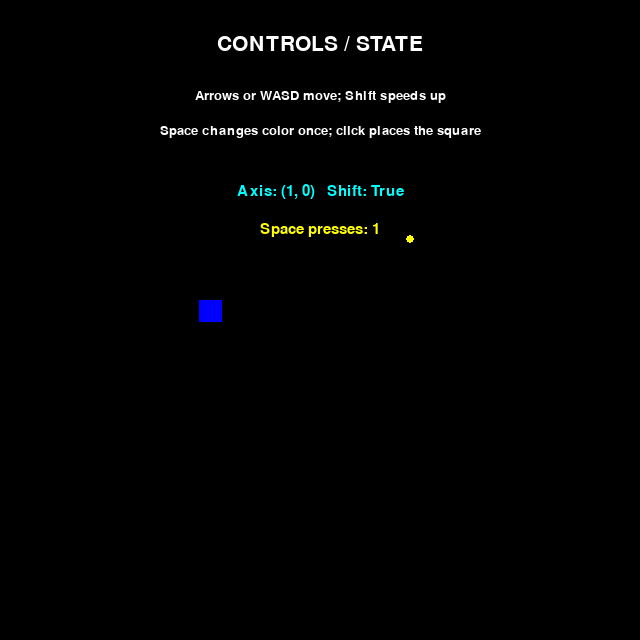
Rendered example output from deterministic replay; not a hardware-input test.
Mouse position and buttons
mouse.pos is an immutable (x, y) in virtual canvas coordinates, including fractions
and positions outside the canvas. Construct Pt(*mouse.pos) when you need a mutable
point. Query mouse.pressed('left'), mouse.just_pressed('right'), or
mouse.just_released(M.MIDDLE). Names are case-insensitive; constants and numbers
are equivalent: M.LEFT == 1, M.MIDDLE == 2, M.RIGHT == 3.
Only these three buttons are supported in the new API.
mouse.rel is the sum of delivered movement deltas, scaled into virtual coordinates.
It is not the difference between two positions. Reading it repeatedly does not reset
it. Positions use the transform at event delivery; saved events never change when
the canvas is resized or its virtual size changes. Motion before and after a resize
can therefore use different scales. Invalid native dimensions use a neutral scale.
Scroll and text aggregates
mouse.wheel gives (horizontal, vertical) in scroll units, not pixels. Positive is
right and up (away from the user); a backend flipped-direction flag is corrected once.
Fractional precise values, including zero, are preserved where supplied; older backends
fall back to whole scroll units. Scroll is never scaled with the canvas.
keyboard.typed concatenates confirmed text in arrival order. It supports Unicode,
including Cyrillic and Greek. Composition is available through E.TEXT_EDITING;
it does not enter typed until confirmed. Key-down unicode does not also enter
typed, so text is not inserted twice.
Ordered events
Use events() when order matters. It returns the same immutable tuple on every read
within a frame. keyboard.events contains keys and text; mouse.events contains buttons,
motion, and wheel. These cached tuples share their event objects with the common stream.
Focus and resize events appear only in the common stream. Saved tuples remain valid
across later frames. The stream covers the supported event families below, not every
SDL event. Window close keeps the usual program-exit behavior.
typed is a convenience, not a text editor. Text → Backspace → text must be processed
in event order. This complete program also demonstrates two-dimensional scrolling:
from drawzero import *

value = ''
scroll_x = scroll_y = 0
composition = ''
while True:
    for event in events():
        if event.type == E.TEXT_INPUT:
            value += event.text
            composition = ''
        elif event.type == E.TEXT_EDITING:
            composition = event.text
        elif event.type == E.KEY_DOWN and event.key == K.BACKSPACE:
            value = value[:-1]
        elif event.type == E.FOCUS_LOST:
            composition = ''
    dx, dy = mouse.wheel
    scroll_x += dx
    scroll_y += dy
    clear()
    text(C.white, 'TEXT / TWO-DIMENSIONAL SCROLL', (500, 70), 40)
    text(C.white, 'Type text; Backspace deletes; scroll moves the marker', (500, 150), 28)
    text(C.cyan, value, (80, 300), 48, '<.')
    text(C.gray, composition, (80, 370), 36, '<.')
    text(C.yellow, f'Scroll: ({scroll_x:.1f}, {scroll_y:.1f})', (500, 480), 36)
    line(C.gray, (200, 720), (800, 720))
    line(C.gray, (500, 570), (500, 870))
    filled_circle(C.orange, (500 + 30 * scroll_x, 720 - 30 * scroll_y), 22)
    tick(fps=60)
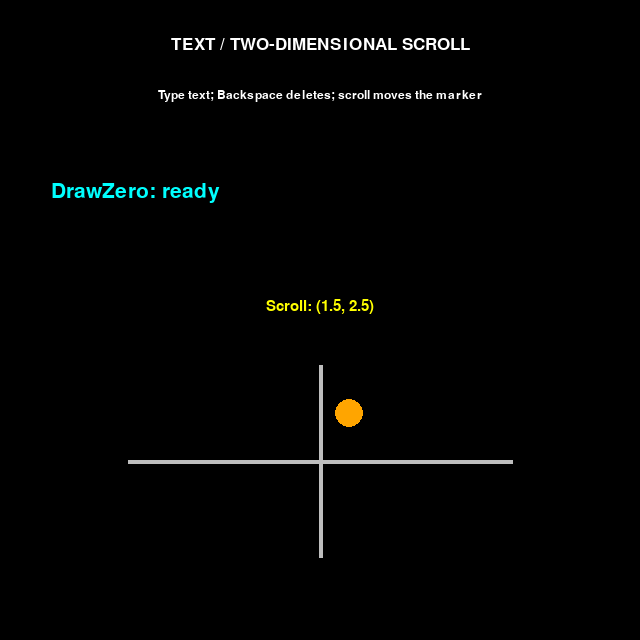
Rendered example output from replayed text and wheel events; no hardware IME is exercised. The sample deletes one Python character, not a complete Unicode grapheme cluster.
Precise drawing and dragging
event.pos, event.rel, and event.buttons describe the event when it occurred.
mouse.pos and mouse.pressed() describe the final state. Test membership with
M.LEFT in event.buttons. Multiplying final button state by whole-frame mouse.rel
is not precise dragging: some motion may precede the press or follow its release.
Use ordered events and terminate an interaction on focus loss:
from drawzero import *

segments = []
previous = None
while True:
    for event in events():
        if event.type == E.FOCUS_LOST:
            previous = None
        elif event.type == E.MOUSE_DOWN and event.button == M.LEFT:
            previous = event.pos
        elif event.type == E.MOUSE_MOVE:
            if previous is not None and M.LEFT in event.buttons:
                segments.append((previous, event.pos))
                previous = event.pos
        elif event.type == E.MOUSE_UP and event.button == M.LEFT:
            if previous is not None and not event.source.cancelled:
                segments.append((previous, event.pos))
            previous = None
    if keyboard.just_pressed('space'):
        segments.clear()
    clear()
    text(C.white, 'PRECISE DRAWING', (500, 70), 48)
    text(C.white, 'Hold left mouse button to draw; Space clears', (500, 150), 32)
    for start, end in segments:
        line(C.cyan, start, end, line_width=6)
    filled_circle(C.yellow, mouse.pos, 8)
    text(C.gray, f'Path segments: {len(segments)}', (500, 900), 32)
    tick(fps=60)
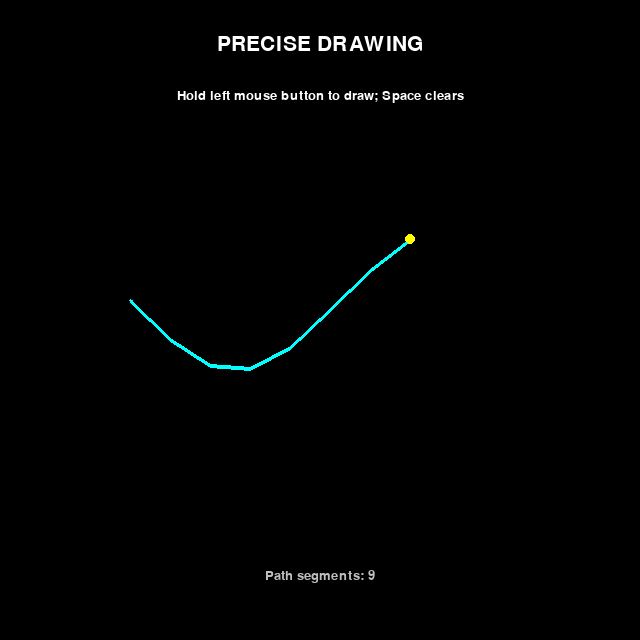
Rendered example output from a fixed pointer trace. Every delivered motion is retained; there is no motion coalescing mode.
API reference
| API | Result |
|---|---|
keyboard.pressed(key, *other_keys) |
Any specified key held: bool |
keyboard.just_pressed(key, *other_keys) |
Any genuine down transition: bool |
keyboard.just_released(key, *other_keys) |
Any up transition: bool |
keyboard.axis(negative, positive) |
Integer -1, 0, or 1 |
keyboard.typed |
Confirmed text, or '' |
keyboard.events |
Tuple of key/text events |
mouse.pressed(button, *other_buttons) |
Any specified button held: bool |
mouse.just_pressed(button, *other_buttons) |
Any down transition: bool |
mouse.just_released(button, *other_buttons) |
Any up transition: bool |
mouse.pos, mouse.rel |
Immutable virtual-coordinate pairs |
mouse.wheel |
Immutable horizontal/vertical scroll pair |
mouse.events |
Tuple of mouse events |
events() |
Tuple of all supported events in delivered order |
K, KEY |
Same key-code namespace: K.LEFT, K.a, K.A, K.SPACE |
M |
LEFT, MIDDLE, RIGHT |
MOD |
Typed bit flags: SHIFT, CTRL, ALT, META/GUI, individual L/R sides, NUM, CAPS, MODE, NONE |
E |
Event-type constants listed below |
tick(r=1, *, fps=30) |
Present drawing, wait/poll r times, publish once; returns None |
Keys accept existing numeric codes or case-insensitive names from K: left, a,
space, etc. enter/return and esc/escape are deliberate aliases. A and a
mean the same logical key, with no implied Shift. These are logical keys, not physical
scancodes or arbitrary Unicode text. Layouts can map physical keys differently;
scancodes are retained in events for inspection, not accepted as physical bindings.
State queries require at least one argument and validate every argument, even after a
match. Unknown names/codes, booleans, nested or empty axis groups, and unsupported
objects raise errors. MOD values are masks, not keys; use event.mod & MOD.CTRL.
Diagnostics follow set_lang('en') or set_lang('ru') and suggest close spellings.
Event payload reference
Read-only, slotted tuple values have named, typed fields and useful representations.
Classes are available from drawzero.utils.input. All have type and source.
event.type |
Class and payload |
|---|---|
E.KEY_DOWN, E.KEY_UP |
KeyEvent: key, mod, scancode, unicode, repeat (false on up) |
E.TEXT_INPUT |
TextEvent: text |
E.TEXT_EDITING |
EditingEvent: text, start, length |
E.MOUSE_DOWN, E.MOUSE_UP |
ButtonEvent: button, pos, mod |
E.MOUSE_MOVE |
MotionEvent: pos, rel, buttons (frozenset of identifiers), mod |
E.MOUSE_WHEEL |
WheelEvent: floating-point x, y, historical pos or None |
E.FOCUS_LOST, E.FOCUS_GAINED |
FocusEvent: no additional payload |
E.WINDOW_RESIZED |
ResizeEvent: native window (width, height) in size |
Unknown key fields default to key=0, mod=MOD.NONE, scancode=None, unicode=''.
Repeat uses a supplied backend flag or tracked physical/logical identity. Event masks
use supplied values or modifier history, not the final keyboard state.
source is immutable Provenance(window, which, touch, cancelled): identifiers/touch
origin are None when unavailable; cancelled defaults to false. A supplied cancellation
clears the affected state without inventing an ordinary release edge. Pygame does not
reliably label all synthetic releases; DrawZero does not guess. No hardware timestamp
or precision beyond delivered queue order is promised.
Frame, focus, and timing details
A press followed by release in one frame gives held=false, just-pressed=true, just-released=true. Multiple presses retain all events but still have boolean edge flags. A quiet frame clears events, edges, text, motion, and scroll while retaining held state. Getters do not read the OS, pump events, wait, or create a window.
tick(fps=60) and tick(fps=120) change the rate limit; tick(fps=0) disables waiting.
Negative or non-finite rates are invalid. tick(60) still means 60 internal polls.
sleep(t) waits/polls int(t * 30 + 0.5) times at 30 FPS and publishes their accumulated
history once. tick(0) and sleep(0) present and clear transients without polling.
Long sleeps retain O(number of delivered events) history. SDL's upstream queue is finite:
blocking your program arbitrarily can lose input before DrawZero receives it.
Focus loss clears held keys/buttons and accumulated motion, without fake release edges.
Keep genuine earlier transitions; cancel drags and composition when E.FOCUS_LOST arrives.
Mouse leaving the window alone is not keyboard focus loss. After a focus-gain batch,
DrawZero reconciles final held state with pygame's authoritative state, without fresh
presses or erasing genuine transition history. This snapshot has only logical keys;
physical associations rebuild on subsequent delivered presses.
EJUDGE mode has neutral input and imports no GUI backend solely for input. quit()
closes the window permanently for that process; further drawing does not recreate it.
Static drawings still stay open until the user closes the window.